State management for React application
A.Bortnikov
—


Photo by Dan Lohmar
What is a state?
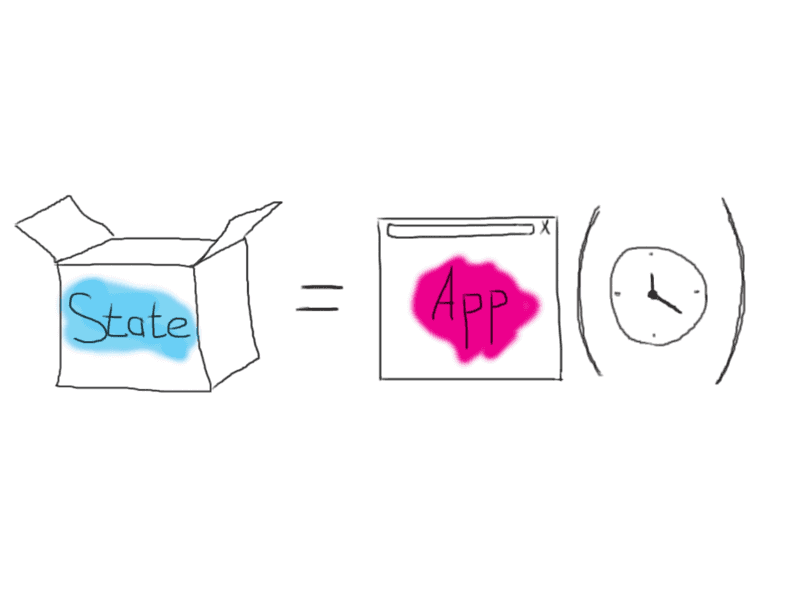
When you building application, it is typical problem to keep different parts synchronized – manage application state. Broad concept of application state is everything in memory that is accessible by application. Lage applications contains thousands of components, so when something happens, every part should know how to react properly or just don’t care about it. Often, changes required to be reflected in multiple component and as application grows its complexity increases drastically.
How to manage complexity?
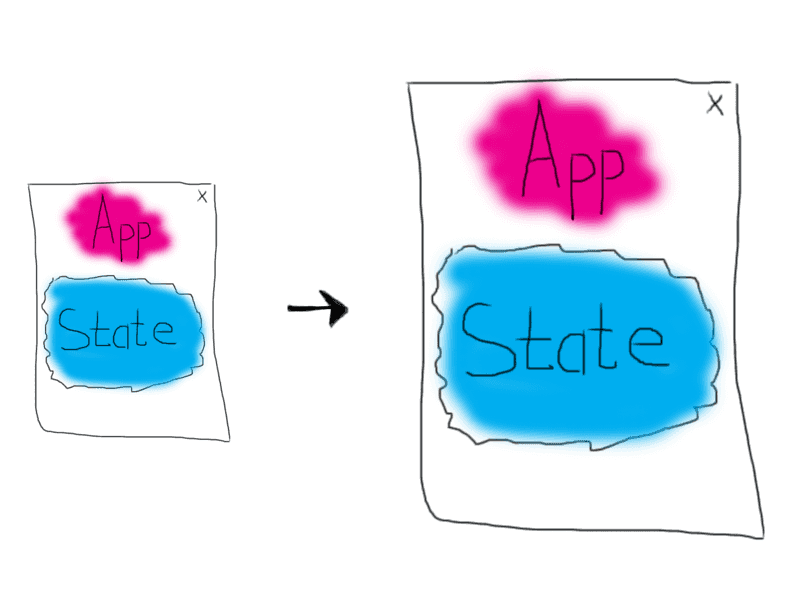
Until 2010s JavaScript was using for DOM manipulation and some logic to make application livelier, in common. So, there weren’t big problems with architecture. Single Page Application (SPA) concept changed things.
SPA makes web-application more like native ones except that they are running in browsers (not a problem with Electron). In multi-page approach we need to worry only about current page state, but in SPA we need to manage whole site state: navigation, communication between client and server in asynchronous way, updating all user interface. Since it was an innovation, developers of frontend frameworks had to look for inspiration on the side, so they turned to already well-established practices applied on the server side. By that time, all popular server-side frameworks were implementing some sort of the classic MVC model (also known as MV* due to various variations).
MVC is dead, long live Flux!

After some time using MVC on frontend Facebook faced with some problem. Here is how they describe it:
We originally set out to deal correctly with derived data: for example, we wanted to show an unread count for message threads while another view showed a list of threads, with the unread ones highlighted. This was difficult to handle with MVC — marking a single thread as read would update the thread model, and then also need to update the unread count model. These dependencies and cascading updates often occur in a large MVC application, leading to a tangled weave of data flow and unpredictable results.
This is why Facebook were researching new way to manage state and invented Flux.
Flux in a nutshell
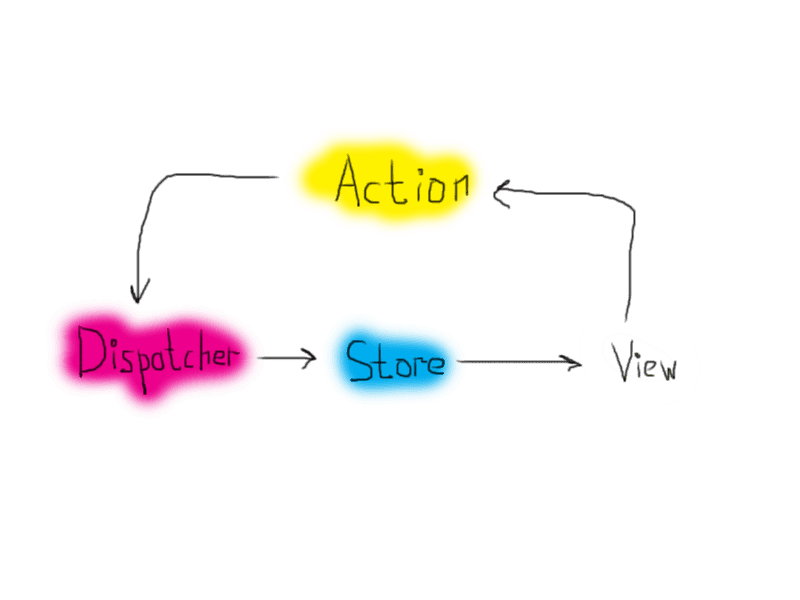
Flux is the application architecture for building client-side web applications.
Flux applications have three major parts:
- dispatcher
- stores
- views
It is sound like some kind of MVC, but should not be confused. Flux eschews MVC in favor of a unidirectional data flow. When a user interacts with a view, the view propagates an action through a central dispatcher, to the various stores that hold the application's data and business logic, which updates all of the views that are affected.
A Single Dispatcher
The dispatcher is the central hub that manages all data flow in a Flux application. It is essentially a registry of callbacks into the stores and has no real intelligence of its own — it is a simple mechanism for distributing the actions to the stores. Each store registers itself and provides a callback. When an action creator provides the dispatcher with a new action, all stores in the application receive the action via the callbacks in the registry.
1const AppDispatcher = new Dispatcher()
As an application grows, the dispatcher becomes more vital, as it can be used to manage dependencies between the stores by invoking the registered callbacks in a specific order. Stores can declaratively wait for other stores to finish updating, and then update themselves accordingly.
Stores
Stores contain the application state and logic. Their role is somewhat similar to a model in a traditional MVC, but they manage the state of many objects — they do not represent a single record of data like ORM models do. More than simply managing a collection of ORM-style objects, stores manage the application state for a particular domain within the application.
1const ListStore = {2 // Actual collection of model data3 items: [],45 // Accessor method6 getAll: function() {7 return this.items;8 }9 trigger: function(type) {10 // emit event11 }12}1314AppDispatcher.register( function( payload ) {15 switch( payload.eventName ) {16 case 'new-item':17 // We get to mutate data!18 ListStore.items.push( payload.newItem );19 // Tell the world we changed!20 ListStore.trigger( 'change' );21 break;22 }23 return true;24});
As mentioned above, a store registers itself with the dispatcher and provides it with a callback. This callback receives the action as a parameter. Within the store's registered callback, a switch statement based on the action's type is used to interpret the action and to provide the proper hooks into the store's internal methods. This allows an action to result in an update to the state of the store, via the dispatcher. After the stores are updated, they broadcast an event declaring that their state has changed, so the views may query the new state and update themselves.
Views and Controller-Views
1componentDidMount: function() {2 ListStore.bind( 'change', this.listChanged );3}4listChanged: function() {5 // Since the list changed, trigger a new render.6 this.forceUpdate();7},8render: function() {9 // Remember, ListStore is global!10 // There's no need to pass it around11 var items = ListStore.getAll();1213 // Build list items markup by looping14 // over the entire list15 var itemHtml = items.map( function( listItem ) {16 return (17 <li key={ listItem.id }>18 { listItem.name }19 </li>20 );21 });2223 return (24 <div>25 <ul>26 { itemHtml }27 </ul>28 <button onClick={ this.createNewItem }>New Item</button>29 </div>30 );31}
React provides the kind of composable and freely re-renderable views we need for the view layer. Close to the top of the nested view hierarchy, a special kind of view listens for events that are broadcast by the stores that it depends on. We call this a controller-view, as it provides the glue code to get the data from the stores and to pass this data down the chain of its descendants. We might have one of these controller-views governing any significant section of the page.
Actions
The dispatcher exposes a method that allows us to trigger a dispatch to the stores, and to include a payload of data, which we call an action. The action's creation may be wrapped into a semantic helper method which sends the action to the dispatcher.
1createNewItem: function( evt ) {2 AppDispatcher.dispatch({3 eventName: 'new-item',4 newItem: { name: 'Marco' }5 });6}
One of most popular flux realizations is Redux. You can see example of application here.
MobX
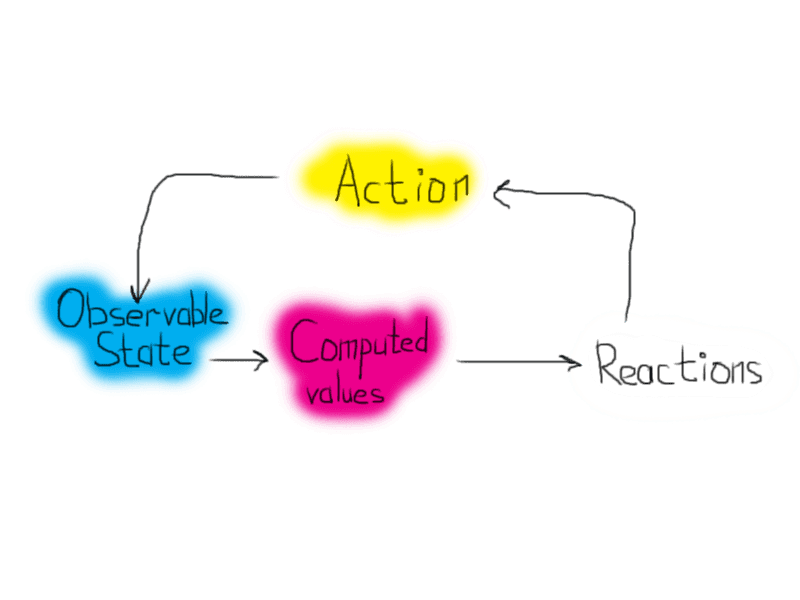
Another popular solution for state management is MobX. It uses functional reactive programming principals.
Anything that can be derived from the application state, should be derived. Automatically.
Core concepts
Observable state
Data structures that have observable capabilities is observable state. MobX doing magic behind, you only need to mark properties as “observable”, so anything that depends can be updated.
1import { observable } from 'mobx'23class Todo {4 id = Math.random()5 @observable title = ''6 @observable finished = false7}
Computed values
Computed values are values that will be derived automatically when relevant data is modified. They update automatically and only when required.
1class TodoList {2 @observable todos = []3 @computed4 get unfinishedTodoCount() {5 return this.todos.filter((todo) => !todo.finished).length6 }7}
MobX will ensure that unfinishedTodoCount is updated automatically when a todo is added or when one of the finishedproperties is modified.
Reactions
Reactions are similar to a computed value, but instead of producing a new value, a reaction produces a side effect for things like printing to the console, making network requests, incrementally updating the React component tree to patch the DOM, etc. In short, reactions bridge reactive and imperative programming.
1import React, { Component } from 'react'2import ReactDOM from 'react-dom'3import { observer } from 'mobx-react'45@observer6class TodoListView extends Component {7 render() {8 return (9 <div>10 <ul>11 {this.props.todoList.todos.map((todo) => (12 <TodoView todo={todo} key={todo.id} />13 ))}14 </ul>15 Tasks left: {this.props.todoList.unfinishedTodoCount}16 </div>17 )18 }19}2021const TodoView = observer(({ todo }) => (22 <li>23 <input24 type="checkbox"25 checked={todo.finished}26 onClick={() => (todo.finished = !todo.finished)}27 />28 {todo.title}29 </li>30))3132const store = new TodoList()33ReactDOM.render(34 <TodoListView todoList={store} />,35 document.getElementById('mount'),36)
Actions
Unlike many flux frameworks, MobX is unopinionated about how user events should be handled.
- This can be done in a Flux like manner.
- Or by processing events using RxJS.
- Or by simply handling events in the most straightforward way possible, as demonstrated in the above onClick handler.
In the end it all boils down to: somehow the state should be updated.
1store.todos.push(new Todo('Get Coffee'), new Todo('Write simpler code'))2store.todos[0].finished = true
After updating the state MobX will take care of the rest in an efficient, glitch-free manner. So, simple statements, like the ones below, are enough to automatically update the user interface.
You can see example of todo app with MobX here.
React
After release 16.8 you can use buildin capabilities of React to manage application state.
Hooks API introduced some functions, like useState, useReducer, useContext. In addition with Context API you can manage state only using React itself.
See example of application here.